What changes for the business
You stop buying servers and start paying one monthly fee.
Owning ERP servers is rarely one purchase. There is the upfront build, the yearly running cost, and the hardware refresh a few years later that most budgets leave out.
Five-year cost of hosting versus owning the servers, from a 2026 analysis we prepared for a mid-sized manufacturer. The hosted option also removed the upfront hardware spend completely. Your numbers will differ; the assessment works them out.
Get the full white paperOwning the serversBuy servers, storage, backup hardware and licences, then pay someone to set them up.
RFR private cloudNo hardware to buy. Migration is part of the service.
Owning the serversMaintenance contracts, software renewals, power, cooling and staff time to keep it all patched.
RFR private cloudOne fixed monthly fee, agreed before you sign.
Owning the serversThe servers are due for replacement, which means another purchase and another migration.
RFR private cloudHardware refresh is our cost. You don't run a project for it.
Owning the serversBuy capacity ahead of need, or live with a slow system until the budget allows.
RFR private cloudAdd users, storage or a new company. It shows up on the next invoice.
Owning the serversYour IT team, the hardware vendor and the Sage partner work out whose problem it is.
RFR private cloudYou call us. We look after the server and Sage.
Eight jobs become one contract
Each layer of an on-premise setup needs its own skills, renewals and monitoring. On our cloud they become one relationship, with one set of numbers to hold us to.
On your own servers, you look after
- 1Server room and physical security
- 2Power and cooling
- 3Network and firewalls
- 4Virtualisation platform
- 5Storage systems
- 6Backup and recovery
- 7Database licensing
- 8Operating system licensing and patching
On RFR cloud, one managed service
Compute, storage and network sized for your Sage workload.
Backups, disaster recovery, security patching and 24/7 monitoring.
Sage-aware helpdesk, upgrades and licence governance.
No on-site servers, no specialist hires, no surprise invoices.
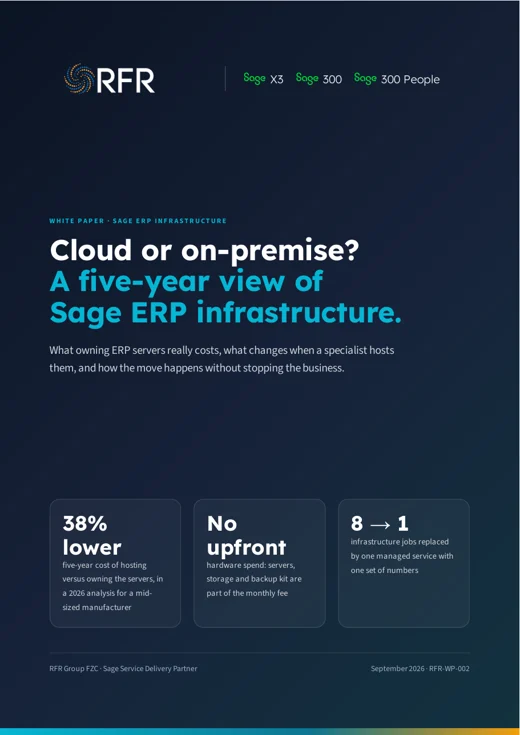
White paper · 7 pages
Cloud or on-premise? A five-year view of Sage ERP infrastructure.
- The five-year cost of owning servers versus hosting, year by year
- What a managed service covers, and SLAs in plain terms
- Private cloud, public cloud and SaaS compared
- Audited data-centre controls and where your data lives
- The six-step move, with the one evening of downtime explained
How it compares with the other ways to host Sage
Public cloud and vendor SaaS both have their place. For an established Sage system with its own reports, add-ons and integrations, the differences below usually decide it.
RFRNobody. Your company runs on dedicated servers.
Public cloudYour virtual machines, on physical hosts shared with other customers.
SaaSThe application is shared with the vendor's other customers.
RFRWe size storage, SQL and report servers from your own workload.
Public cloudStandard instance sizes. Tuning is down to you or your partner.
SaaSSet by the vendor for everyone.
RFRRFR, for the server and for Sage.
Public cloudThe cloud provider for infrastructure, someone else for Sage.
SaaSThe vendor's support desk.
RFRA fixed monthly fee.
Public cloudMetered. It moves with usage, storage and data transfer.
SaaSA per-user subscription.
RFRThey move with you.
Public cloudSupported, if you build and run them.
SaaSLimited to what the product allows.
Where your data lives
Is it safer in our own server room?
It is the first question most finance directors ask. The more useful question is which environment can prove its controls. A server room in the office is rarely audited. Our hosting facilities are, every year, by independent auditors.
You choose the region: Middle East, Asia or Europe. Production data and backups stay there, and the proposal names the data centre.
The international standard for information security management: people, physical access, systems, networks and continuity.
An independent auditor tests that the controls actually worked over a period of months, rather than checking that a policy exists.
The payment card industry's rules for physical security and access to customer equipment at the data centre.
Access is the exception, not the routine
Nobody reaches your servers without passing all five steps.
- 01Request
Someone raises a specific need.
- 02Approve
Access is authorised under policy.
- 03Verify
Identity and rights are checked.
- 04Log
Every entry and session is recorded.
- 05Expire
Rights end and the record is reviewed.
Certification scope applies to the hosting facility and is confirmed for your chosen data centre in the proposal.
How the move works
Your users keep working until the last evening.
Moving to our cloud is planned so the old system stays in use while the new one is built and tested. The only pause is the final data sync, which we schedule outside working hours.
The old server stays untouched after go-live, so there is always a way back.
The full migration plan- 01
Assessment
We look at the system you run today: database size, user count, branches, integrations, scheduled jobs, the reports that run slowly and your backup history. You get a sizing, a fixed monthly price and a dated move plan.
- 02
Build the new environment
We build your servers in our cloud alongside the old one. Nothing changes for your users while this happens.
- 03
Trial move
We restore a recent copy of your data into the new environment and your key users test it: reports, printing, integrations and a month-end run. Anything that behaves differently is fixed here, not on go-live night.
- 04
Final sync
In an agreed out-of-hours window, usually a Friday night or a weekend, users log off, we move the latest data across and reconcile balances, open orders and stock.
- 05
Go live
Users log in to the new environment on the next working day. The old server is left untouched for an agreed period, so there is a way back if something unexpected shows up.
- 06
Hypercare
We watch performance and tickets closely for the first weeks and through the first month-end close, then hand over to normal support.
What we look at for each Sage product
The same service, sized differently. This is where the assessment conversation usually starts.
Sage 300:Finance and distribution teams that need reliable branch access and reporting.
Sage X3:Manufacturers or multi-site groups with production, inventory and heavier batch processing.
Sage 300 People:HR and payroll teams that need controlled access to sensitive employee data.
Sage 300:Financials, inventory, purchasing, order processing, reporting and integrations.
Sage X3:MRP, production planning, batch jobs, multi-company processing and operational reporting.
Sage 300 People:Payroll runs, employee records, approvals, statutory reports and payslip distribution.
Sage 300:Report timing at month-end, branch latency and the number of people working at once.
Sage X3:Batch windows, integration queues, storage throughput and recovery expectations.
Sage 300 People:Access control, encryption, audit trails and backup retention for payroll data.
Questions we get asked
Before you move
What do the 5-minute and 15-minute figures mean?
The 5 minutes is your recovery point: backups run often enough that, in a serious failure, at most the last five minutes of work would need re-entering. The 15 minutes is the recovery target for bringing the environment back from disaster recovery. Larger databases can take longer to restore, and we state the figure for your system in the proposal.
What does the 99.9% uptime SLA cover?
Availability of your hosted servers and the connection into them, measured monthly and excluding maintenance windows agreed with you in advance. 99.9% allows roughly 43 minutes of unplanned downtime in a month. Maintenance is scheduled outside your working hours.
Do we still own our Sage licences and our data?
Yes. Your Sage licences stay yours, and so does your data. If you ever leave, we hand back a full database backup and help the next provider or your own IT team restore it.
What happens if our office internet goes down?
The system keeps running in the data centre, so nothing is lost. Users who still have a connection, for example staff at home, another branch or on a phone hotspot, can keep working. We recommend a backup internet line for offices that depend on Sage all day.
Will printing, scanning and Excel exports still work?
Yes. Printing goes to your local printers, and exports download to the user's own machine. We test printing and your key exports during the trial move, before anyone depends on them.
Can we keep our customisations and integrations?
In most cases, yes. Customisations, add-ons and integrations move with the system. The assessment lists anything that needs a change, such as an integration that connects to a local file share, and we fix it before go-live.